 Bestseller
-17%
Bestseller
-17%
Excel Template · Content Creators
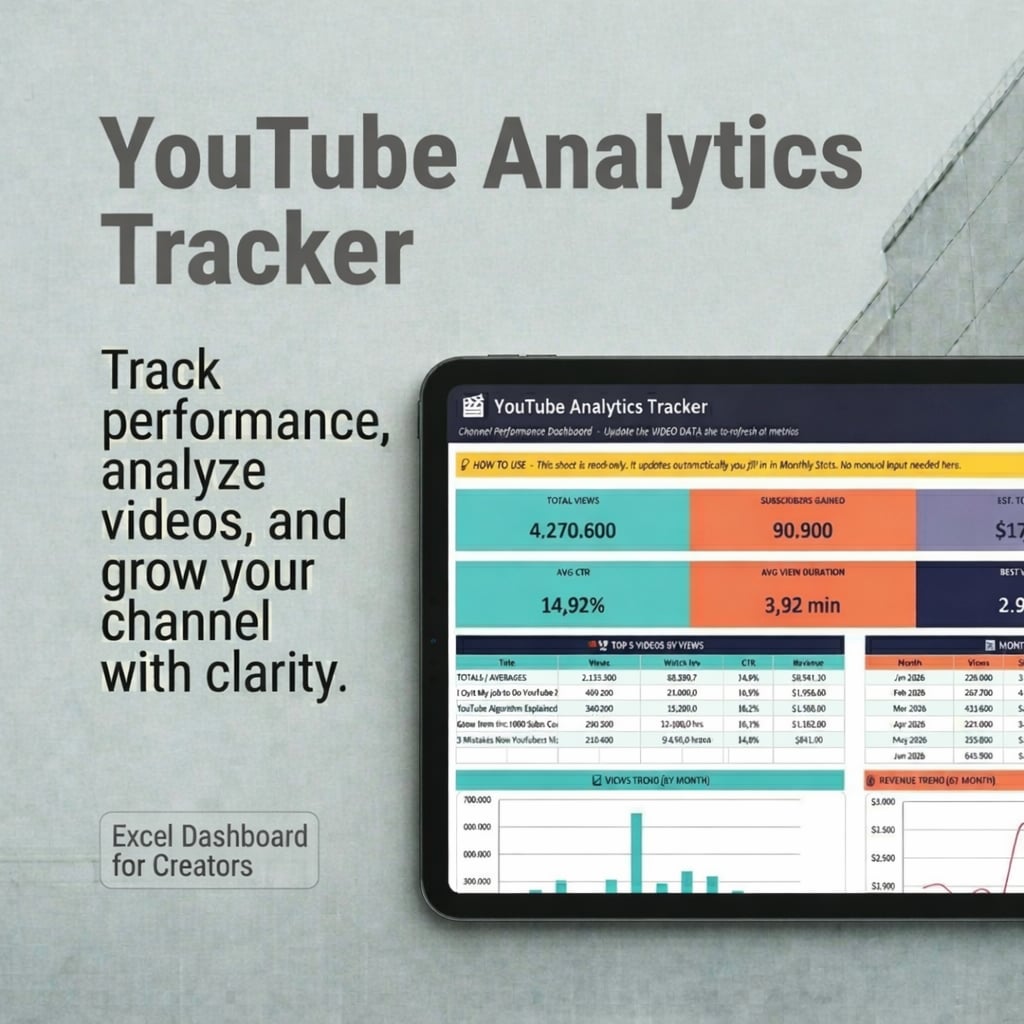
YouTube Analytics Tracker PRO
A data-driven system to analyze your videos, identify patterns, and grow your YouTube channel faster — not another tracker.
Final price may vary slightly on Etsy depending on your location and taxes.
Get it on Etsy → Also on GumroadWhat's included
- →
Video Tracker — log views, CTR, retention, revenue, costs and ROI per video
- →
Dashboard — clear overview of your full channel performance at a glance
- →
Monthly Stats — track growth, uploads, and trends month by month
- →
What Works — discover your best topics, formats, and posting patterns
- →
Goals & Milestones — set targets for views, subscribers, and revenue, and track progress
- →
Audience Insights — understand traffic sources and engagement patterns
- →
Extras — video scoring, rankings, and projections
- →
Settings + Start Guide — quick setup so you're running in minutes
Who it's for
- ·
YouTube creators publishing consistently who want to optimize their content strategy with real data
- ·
Creators who want to know which videos actually make money — not just which get the most views
- ·
Content strategists and channel managers tracking performance metrics over time
- ·
Anyone serious about growing on YouTube who has outgrown just checking Studio
About this template
Most YouTube creators track views. The ones who grow track everything else — CTR, watch time, retention, revenue per video, cost, ROI, and monthly trends. Then they compare, identify patterns, and use those patterns to make every next video smarter than the last. This spreadsheet is that system. 9 sheets covering the full lifecycle of a YouTube channel: per-video performance, monthly growth, what works analysis, revenue and ROI, goals, audience insights, and advanced extras. Used by creators and channel managers who want data-driven decisions about their content strategy — not guesswork, not vibes.
What the data shows
CTR drives clicks. Retention drives distribution. Watch time drives growth. Revenue per video drives strategy. Most creators only track the first one.
YouTube Studio gives you data per video, per period, per metric — but never all three at once. Pattern detection requires a consolidated view.
The highest-revenue videos are rarely the most-viewed ones. Tutorial formats and niche topics consistently outperform broad content on RPM.
Creators who set monthly goals and check them against real data are 4x more likely to publish consistently — because they can see progress.
YouTube Studio vs MINI vs PRO — what you actually get
| Feature | YouTube Studio | MINI Tracker | PRO Tracker |
|---|---|---|---|
| Per-video metrics | ✅ | ✅ | ✅ |
| Side-by-side video comparison | ❌ | ✅ | ✅ |
| Revenue & ROI per video | Partial | ❌ | ✅ |
| Monthly growth trends | ✅ | ❌ | ✅ |
| Pattern detection (What Works) | ❌ | ❌ | ✅ |
| Goals & milestone tracking | ❌ | ❌ | ✅ |
| Audience & traffic insights | ✅ | ❌ | ✅ |
| Cost tracking & real ROI | ❌ | ❌ | ✅ |
| Works offline, no login | ❌ | ✅ | ✅ |
| One-time price | Free | $2.99 | $19.99 |
Common questions about this topic
What is a YouTube growth system?
A YouTube growth system is a structured method for tracking, analyzing, and improving your channel performance over time. Unlike checking YouTube Studio occasionally, a growth system logs every video's key metrics (CTR, watch time, retention, revenue), compares them side by side, identifies patterns in what works, and feeds those insights back into future content decisions. The goal isn't just to track data — it's to make every video smarter than the last.
How do top YouTube creators analyze their videos?
High-performing creators don't just look at total views. They compare CTR across videos to identify which thumbnails and titles consistently convert. They track audience retention to find where viewers drop off and fix those points in future videos. They group videos by format and topic to see which categories outperform others. And they track revenue per video — not just total earnings — to know which content is actually worth making more of.
How do I improve my CTR on YouTube?
CTR (click-through rate) is determined by your thumbnail and title. To improve it: test different thumbnail styles (face vs. no face, text vs. clean), use numbers and specificity in titles, analyze which of your existing videos have the highest CTR and reverse-engineer what those titles have in common. A 1% increase in CTR can double your impressions from YouTube's algorithm — it's the highest-leverage metric to optimize early.
How do I increase watch time on YouTube?
Watch time increases when you improve content hooks and structure. The first 30 seconds determine whether someone stays — hook them with the problem or payoff immediately. After that, pacing and chapter structure keep retention high. Analyze your audience retention curve in YouTube Studio: if there's a sharp drop at 2:30, something happens there that loses viewers. Fix that moment. Longer videos don't automatically mean more watch time — more compelling content does.
How do I know which of my YouTube videos make the most money?
Views and revenue don't always correlate. A 5-minute tutorial can earn 3x more than a 20-minute vlog with twice the views, because advertisers pay more for engaged, topic-specific audiences. Track estimated revenue per video and calculate real ROI by including production costs. After 20–30 videos you'll see which formats and topics consistently generate the highest revenue per view — and you can prioritize those formats going forward.
How do I track my YouTube channel growth over time?
Log your total views, new subscribers, watch hours, uploads, and estimated revenue month by month. After 3–6 months you can clearly see growth trends, seasonality, and the impact of strategy changes — a posting frequency increase, a new format, a title style change. Setting annual targets and reviewing them monthly is one of the most effective habits for sustained channel growth.
How do you know if a YouTube video will perform well?
The strongest early signals are CTR and watch time in the first 24–48 hours. A video with CTR above 4–5% and strong retention in the first 30 seconds will typically get pushed further by the algorithm. If you've tracked enough of your own videos, you'll also see format-level patterns: certain topics or title styles that consistently outperform your channel average from day one.
Why do some YouTube videos fail despite good metrics early on?
Good initial CTR doesn't guarantee sustained performance. A video can spike and then stall if: the audience it attracts doesn't match your channel's typical viewer (hurting suggested video performance), the watch time drops sharply after the first minute, or the topic is too niche to generate ongoing search traffic. Tracking these patterns across your full video catalog — not just the latest upload — is how you diagnose and fix these issues.
Frequently asked questions
How many sheets does the YouTube Analytics Tracker PRO include?
9 sheets: Video Tracker, Dashboard, Monthly Stats, What Works, Goals & Milestones, Audience Insights, Extras, Settings, and Start Guide. Each covers a different part of your YouTube growth system.
Do I need to connect to the YouTube API or install any integrations?
No. You copy your stats manually from YouTube Studio — no API access, no plugins, no technical setup. Just open the file and start entering your numbers.
Is it compatible with Google Sheets?
Yes. Upload the .xlsx file to Google Drive and open it with Google Sheets. All formulas, charts, and calculations work correctly.
What is the difference between the PRO and MINI versions?
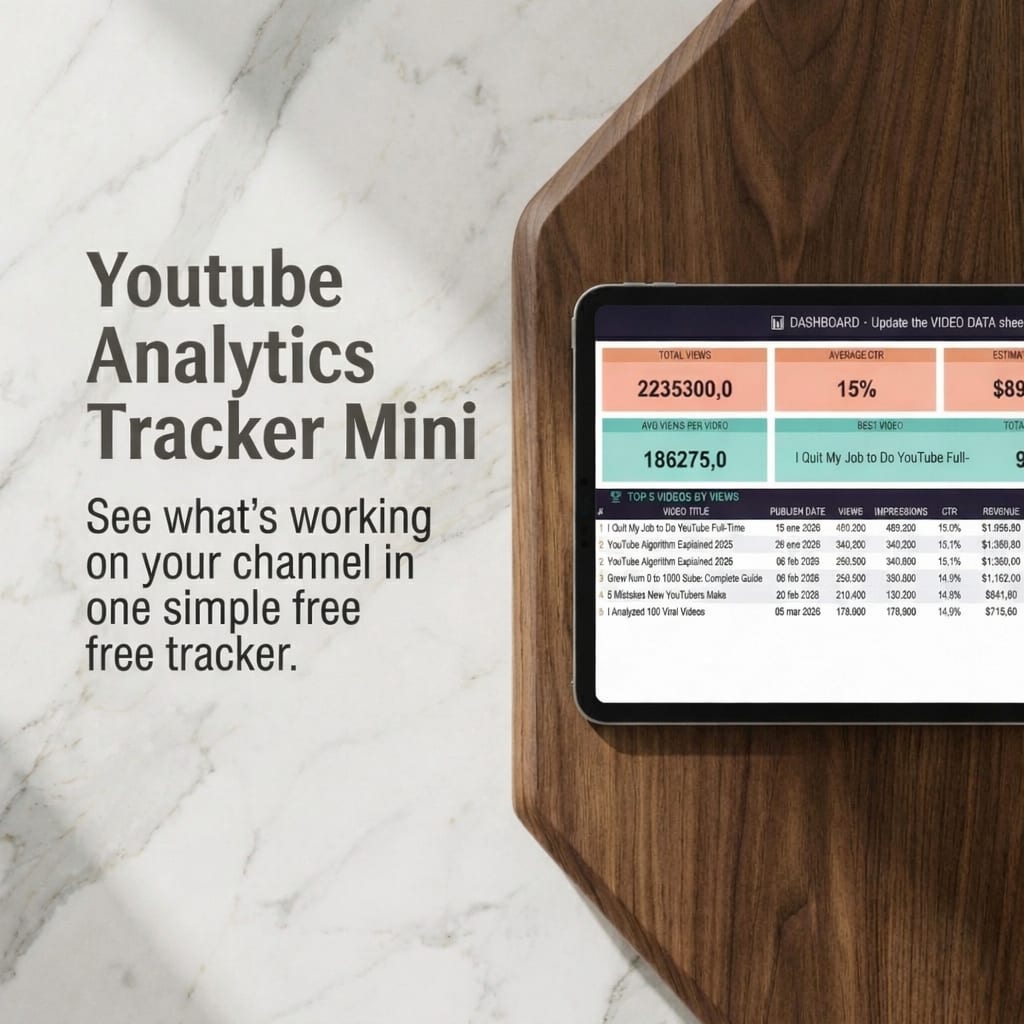
The MINI is a lightweight tracker focused on basic metrics: views, impressions, CTR, and top 5 videos — ideal for creators just getting started. The PRO includes 9 full sheets covering revenue, ROI, monthly growth, goals, audience insights, content analysis, and more. It's a complete growth system, not just a tracker.
Is this a one-time purchase?
Yes. You pay once and get instant access to the .xlsx file. No subscriptions, no recurring fees.
Can I track YouTube Shorts separately from regular videos?
Yes. The Video Tracker sheet lets you log each video individually with its format (Short or long-form). The What Works analyzer then shows you performance patterns by format so you can compare Shorts vs regular videos directly.
What is the most important YouTube metric to track?
Watch time is the most important signal for YouTube's algorithm — it's what determines whether your content gets pushed to more viewers. But for improving your content strategy, CTR is the most actionable metric: it tells you directly whether your thumbnails and titles are working. Track both. CTR gets people to click; watch time keeps them watching and gets YouTube to recommend you.
Can I use this to track both my YouTube channel and costs?
Yes. The Video Tracker includes columns for production costs alongside revenue, so you can calculate real ROI per video — not just estimated earnings. This is particularly useful for creators who invest in editing, equipment, or paid promotion and want to know which content is actually profitable to make more of.
From the blog
Guide
How to Track Your YouTube Analytics in Excel (The Right Way)
The step-by-step guide to building a tracking system that actually tells you what's working — and why.
Read the guide →
Ready?
YouTube Analytics Tracker PRO · $19.99 one-time
Keep building your system
More templates that work well alongside this one.
Content Creators
YouTube Analytics Tracker MINI
Track your YouTube videos, spot what's working, and grow your channel with data — not guesswork. Simple. $2.99 one-time.
$2.99
Content Creators
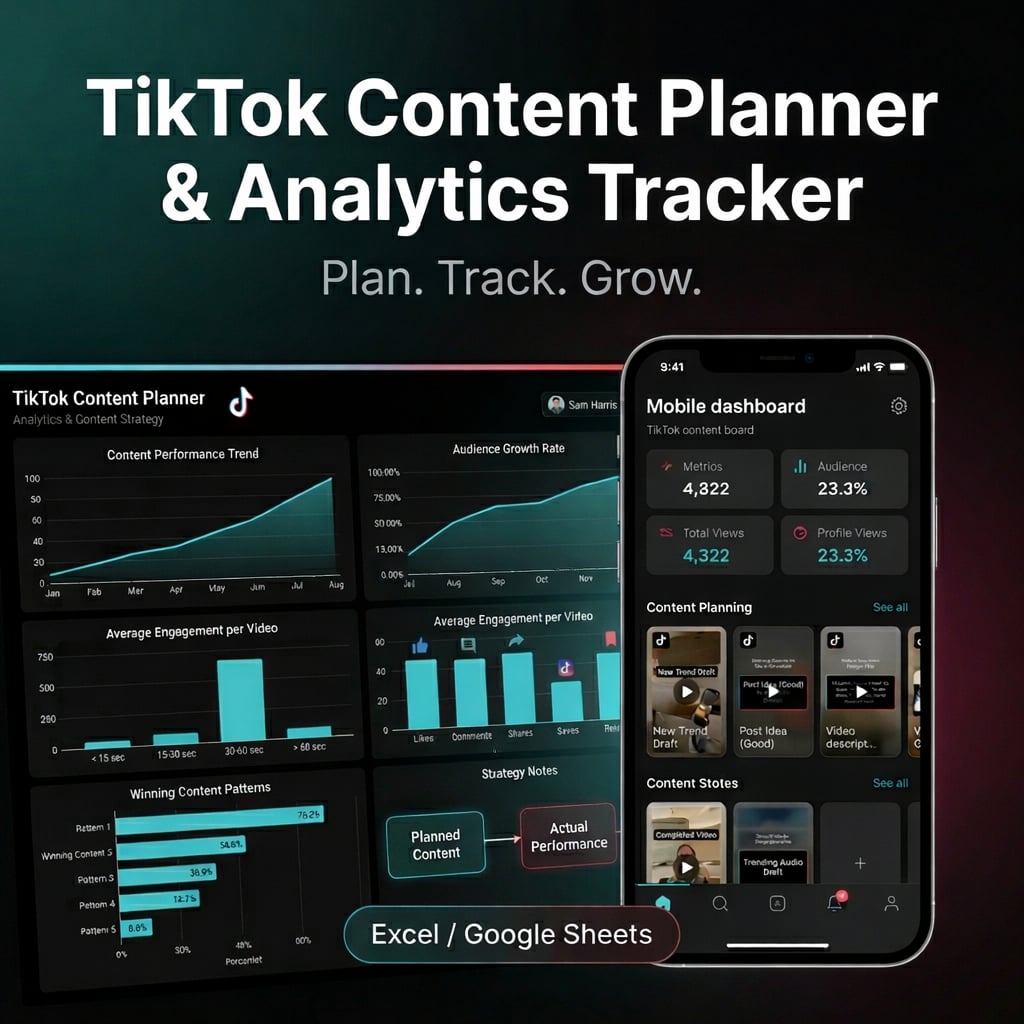
TikTok Content Planner & Analytics Tracker
Plan, track, and grow on TikTok with one structured system — content calendar, analytics tracker, hook bank, and winning content analyzer in a single Excel spreadsheet.
$14.99