 Bestseller
-15%
Bestseller
-15%
Excel Template · Personal Finance
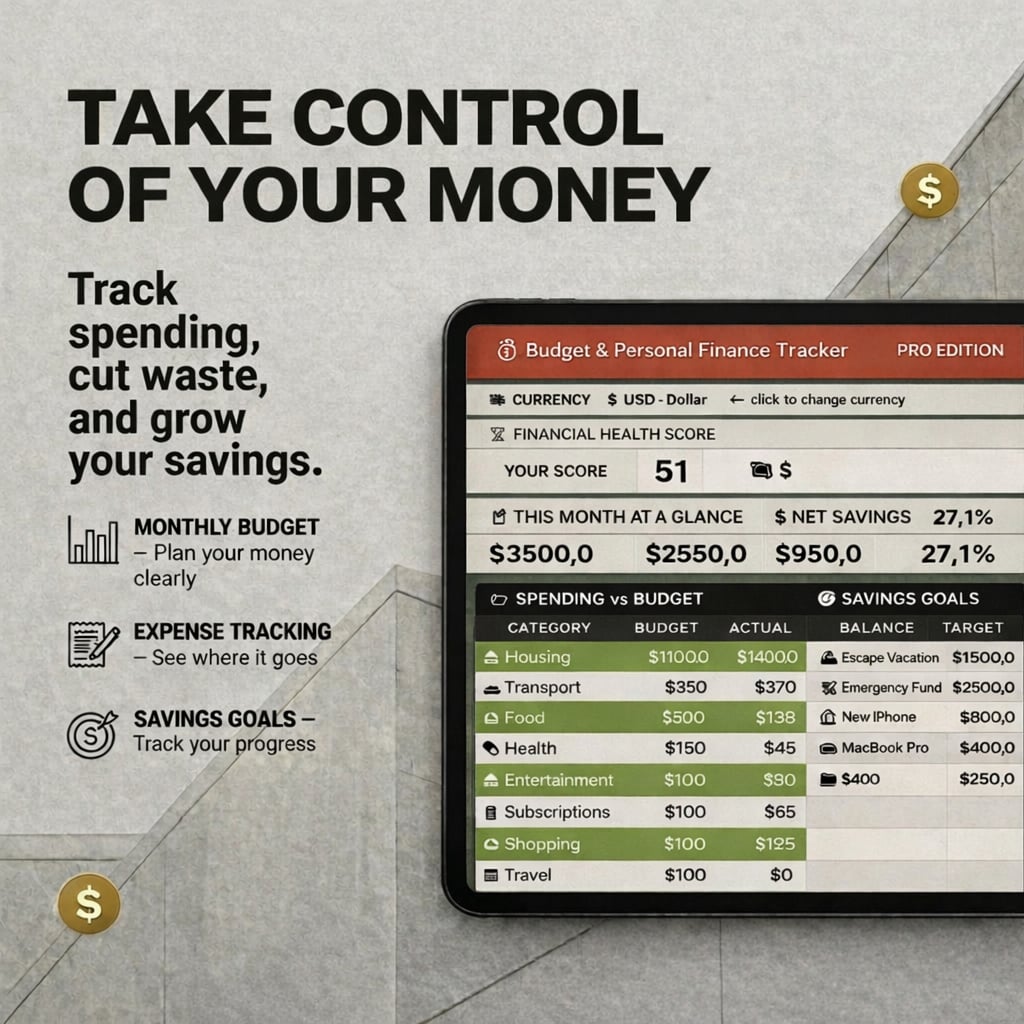
Budget & Personal Finance Tracker
Stop wondering where your money goes. Track every euro, every month — and finally take control of your finances.
Final price may vary slightly on Etsy depending on your location and taxes.
Get it on Etsy → Also on GumroadWhat's included
- →
Monthly income vs. expenses dashboard — at-a-glance view of where you stand
- →
Category-by-category breakdown (housing, food, subscriptions, transport…)
- →
Savings goal tracker with progress bar — see how close you are to each target
- →
Net worth calculator updated monthly — track your real financial progress
- →
Yearly summary view — 12 months of data consolidated for year-over-year comparison
- →
Color alerts when you overspend a category — catch problems before they compound
Who it's for
- ·
Anyone who wants to finally take control of their finances instead of guessing
- ·
Freelancers and self-employed with irregular income across multiple sources
- ·
Young professionals building their first real budget
- ·
Couples tracking shared expenses and savings goals together
- ·
Anyone who ends the month wondering where their money went
About this template
Most people don't have a spending problem. They have a visibility problem. They make decent money, have good intentions, and still end their month wondering where it all went. The answer is almost always the same: no system. This spreadsheet is that system. A clean monthly view of what comes in, what goes out, and whether you're on track — by category, by month, across a full year. Income sources, fixed and variable expenses, savings goals with a progress bar, net worth updated monthly, and color alerts when you overspend a category. No complicated formulas, no confusing tabs. Built for real people, not accountants. Open it, enter this month's numbers, and you'll know exactly where you stand within 15 minutes.
What the data shows
Tracking spending changes behavior — not through willpower, but through visibility. Behavioral economics research consistently shows that making financial data visible leads to more intentional decisions: people don't change what they can't see.
€10 spent daily on small purchases = €3,650 per year. Most people don't see this because no single expense feels significant enough to question.
The biggest budget blind spot is usually subscriptions and recurring expenses — not discretionary spending. They're invisible until you list them all.
The 50/30/20 rule (50% needs, 30% wants, 20% savings) only works if you know which bucket each expense falls into. That requires tracking.
Source: Elizabeth Warren & Amelia Warren Tyagi — All Your Worth (2005)
Excel vs budgeting apps vs bank — which actually gives you control
| Method | Full control | Custom categories | Works offline | Privacy | One-time cost |
|---|---|---|---|---|---|
| Bank dashboard | ❌ | ❌ | ✅ | ❌ | None |
| Budgeting apps | ⚠️ Limited | ⚠️ Limited | ❌ | ❌ | Monthly fee |
| This spreadsheet | ✅ | ✅ | ✅ | ✅ | $16.99 |
Common questions about this topic
What is a budget tracker?
A budget tracker is a system that helps you monitor your income and expenses so you can understand where your money goes and make better financial decisions. At its core, it records what comes in, what goes out, and whether your spending aligns with your priorities. A good budget tracker goes further: it categorizes expenses, tracks savings goals, shows monthly trends, and alerts you when you overspend — turning financial data into actionable clarity.
Why do most people fail at managing their money?
Three common reasons: they don't track expenses consistently (so they can't see patterns), they significantly underestimate what they actually spend in key categories like food, subscriptions and transport — typically far more than they'd expect — and they review their finances reactively after something goes wrong, instead of proactively at the end of each month. The fix isn't earning more money. It's having a system that makes your finances visible.
How do I manage my money effectively?
Four steps: (1) Track every income source and every expense — nothing is too small to log. (2) Set a monthly budget by category and compare actual spending against it. (3) Review at the end of each month to find where you overspent and why. (4) Adjust the next month's budget based on what you learned. Most people skip step 3 and 4, which is why their budget never improves. A spreadsheet that does the math automatically makes this process take 15 minutes a month instead of hours.
What is the 50/30/20 budget rule?
The 50/30/20 rule is a personal finance framework that divides your after-tax income into three categories: 50% for needs (rent, groceries, utilities, transport), 30% for wants (entertainment, dining out, subscriptions), and 20% for savings and debt repayment. It's one of the most widely recommended starting points for budgeting because it's simple enough to apply without financial expertise. The challenge is knowing which of your expenses fall into which category — which requires tracking.
How do small daily expenses impact your finances?
The math is more significant than most people expect. Spending €10 per day on coffee, lunches, and small purchases adds up to €3,650 per year. Spending €20/day adds up to €7,300 — potentially more than a month's salary for many people. The problem isn't any single expense; it's the invisibility of the accumulation. Tracking by category makes these amounts visible and gives you a factual basis for deciding what's worth it.
What is the best way to track expenses?
A spreadsheet gives you the most control, flexibility, and clarity of any method. Banking apps show transactions but don't let you categorize them the way you think about your spending. Budgeting apps automate some categorization but limit how you organize your data and often require a monthly subscription. A well-designed spreadsheet puts you in control of the categories, formulas, and layout — and works offline, with no privacy concerns, for a one-time cost.
How do I start budgeting for the first time?
Start by tracking what you actually spend for one month — not what you think you spend. Open your last 3 bank statements, categorize every transaction (housing, food, transport, subscriptions, entertainment), and add them up. That's your baseline. Then set targets for each category based on your income and priorities. The gap between what you thought you spent and what you actually spent is usually the most motivating moment in personal finance.
Do I need an app to manage my budget?
No. Most budgeting apps are more complex than necessary, require a subscription, sync with your bank (a privacy tradeoff many people prefer to avoid), and limit how you organize your data. A spreadsheet is more flexible, more private, works offline, and gives you complete control over categories and calculations. The key is using a template that's already set up — so you're not building formulas, just entering numbers.
Frequently asked questions
Does the Budget Tracker support both EUR and USD?
Yes. The template includes both EUR and USD versions in the same file — switch between them in the Settings tab.
Can I track irregular freelance income with this template?
Yes, the income section supports multiple income sources and variable amounts, making it ideal for freelancers and self-employed individuals.
Is it compatible with Google Sheets?
Yes. Upload the .xlsx file to Google Drive and open it with Google Sheets. All formulas, charts, and the savings tracker work correctly.
How many months of data can I track?
The template has dedicated sheets for each month plus a yearly summary view that consolidates all 12 months for year-over-year comparison.
Do I need accounting knowledge to use this?
No. The template is designed for anyone — just enter your income and expenses in the right categories and the dashboard calculates everything automatically.
How is this different from just using my banking app?
Your banking app shows you individual transactions but doesn't help you set budgets by category, track progress toward savings goals, or see year-over-year trends in one place. This spreadsheet does all three — and you can customize categories to match how you actually think about your money, not how your bank tags transactions.
Is this a one-time purchase?
Yes. You pay once and get instant access to the .xlsx file. No subscriptions, no recurring fees — just a tool you own and use for as long as you want.
Ready?
Budget & Personal Finance Tracker · $16.99 one-time
Keep building your system
More templates that work well alongside this one.
Personal Finance
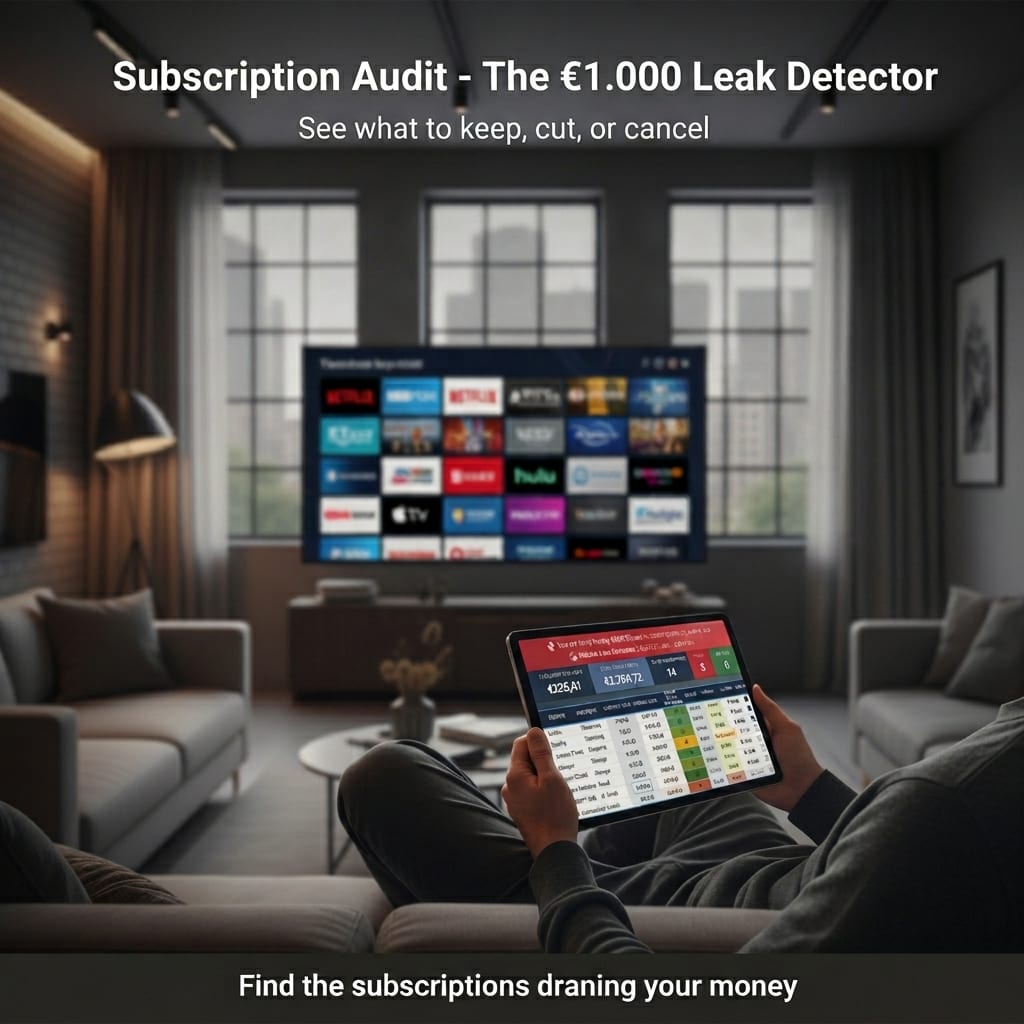
The $1,000 Leak Detector
Find every hidden subscription draining your budget. See the real yearly cost. Cut what you don't need. It takes 30 minutes.
$2.99
Ecommerce & Sellers
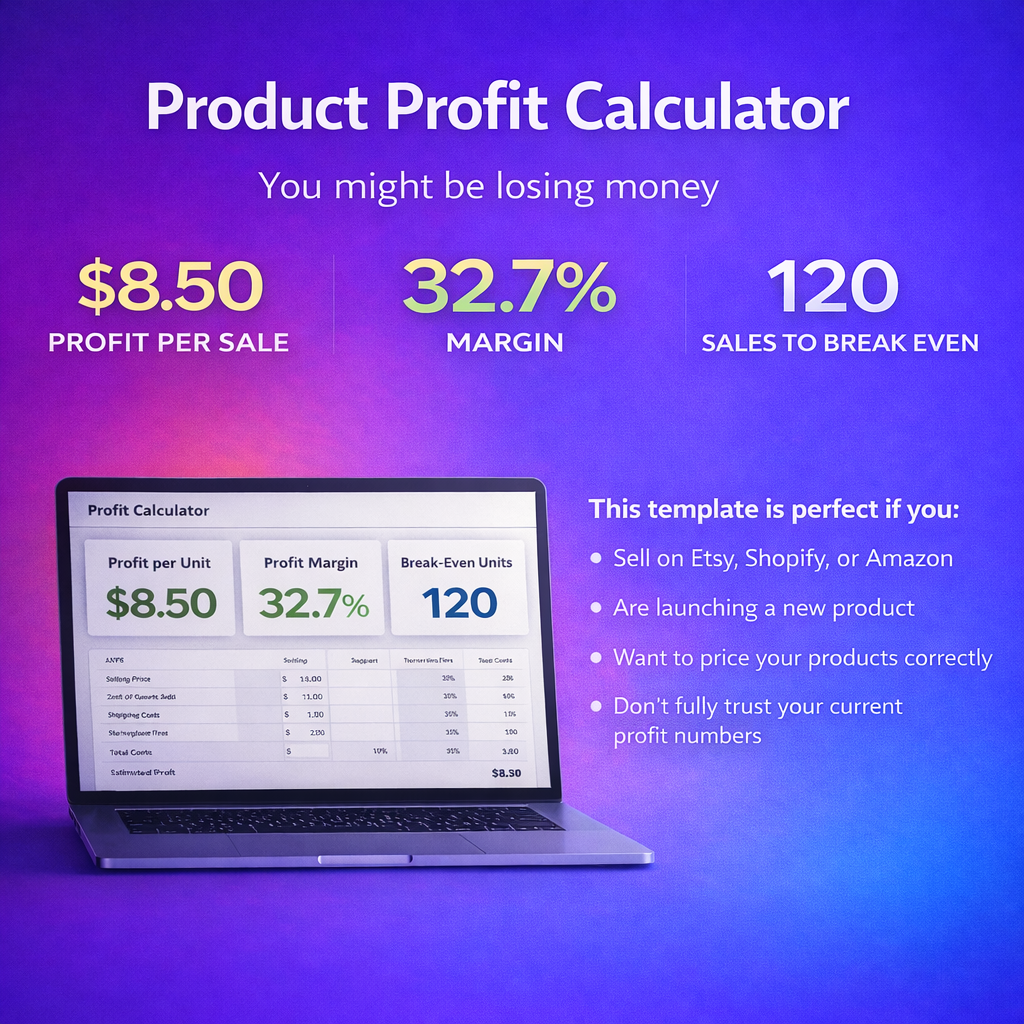
Product Profit Calculator
Most products don't fail because they don't sell. They fail because they're not profitable. Know your real numbers before you launch.
$7.99