Excel Template · Content Creators
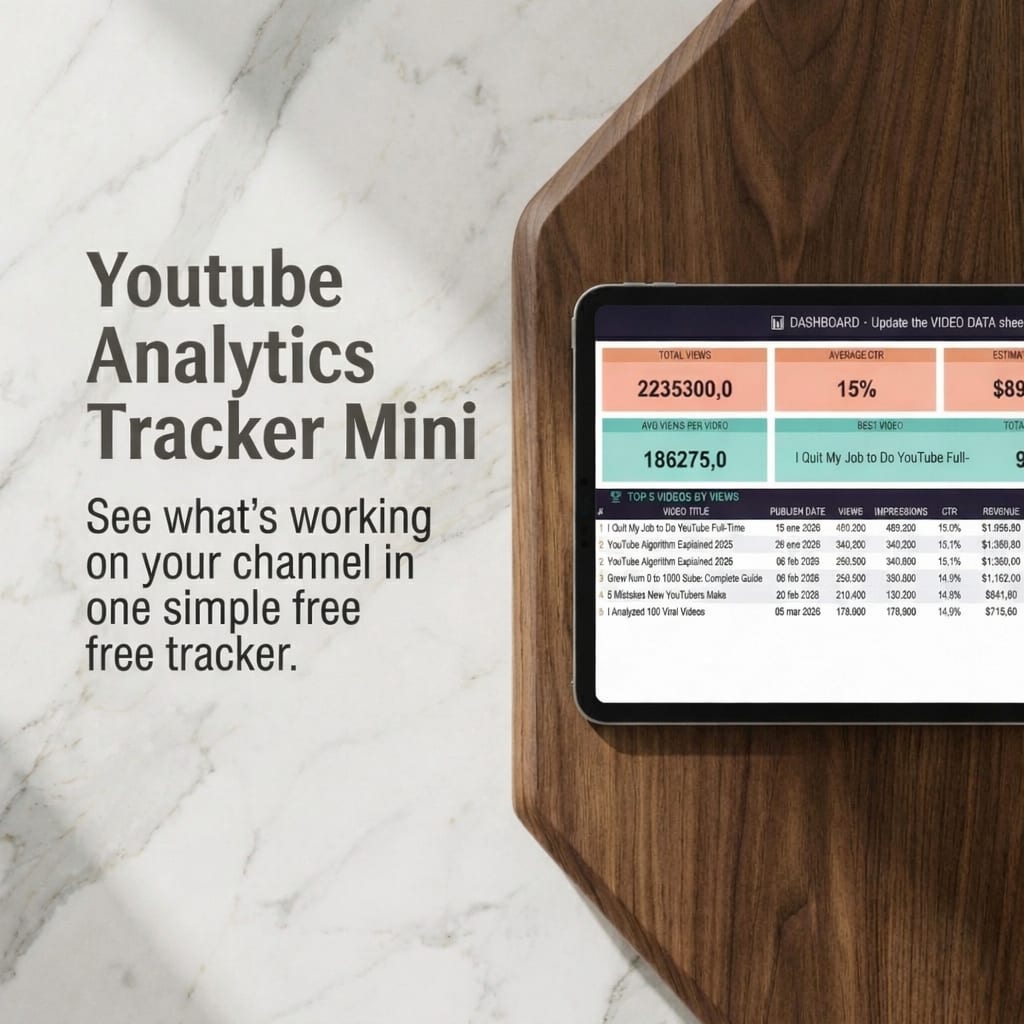
YouTube Analytics Tracker MINI
Track your YouTube videos, spot what's working, and grow your channel with data — not guesswork. Simple. $2.99 one-time.
Final price may vary slightly on Etsy depending on your location and taxes.
Get it on Etsy → Also on GumroadWhat's included
- →
Start Here sheet — quick setup guide so you're running in minutes
- →
Performance Dashboard — total views, average CTR, estimated revenue and more at a glance
- →
Video Data tracker — log views, impressions, CTR and revenue per video
- →
Top 5 videos ranked automatically by views
- →
Best-performing video identified automatically
- →
Average views per video calculated automatically
- →
Settings sheet — customize your setup
Who it's for
- ·
New YouTubers starting to track their performance for the first time
- ·
Small creators who want a simple, focused overview — not a 9-sheet system
- ·
Content creators tired of guessing what's working and what isn't
- ·
Anyone who wants to make data-driven decisions without learning complex tools
About this template
Most creators look at their total views and stop there. That's why they don't grow. The ones who improve consistently track the metrics that actually matter — CTR, watch time, and per-video performance — and use that data to make better decisions on every upload. This lightweight Excel template gives you a clean, focused view of your channel performance without complexity. Log your videos, see your top performers, and understand what content is actually working. No subscriptions, no API, no setup. Open it and start.
What the data shows
Creators who track CTR and watch time per video improve their content 3x faster than those who only monitor total views.
The top-performing video on a channel is rarely the most recent — it's usually 3–6 months old. Tracking helps you find and replicate it.
A 1% increase in CTR can significantly boost impressions from YouTube's algorithm. It's the single metric most worth optimizing early.
Most new YouTubers quit before video 20. The creators who stay long enough to spot patterns are the ones who actually grow.
Common questions about this topic
What is YouTube Analytics?
YouTube Analytics is the built-in system inside YouTube Studio that shows how your videos and channel are performing. It tracks metrics like views, impressions, click-through rate (CTR), watch time, audience retention, subscriber gain, and estimated revenue. Understanding these numbers is the difference between guessing what to create next and knowing.
What metrics matter most on YouTube?
The five metrics that actually drive channel growth are: impressions (how often YouTube shows your content), click-through rate or CTR (how many people click after seeing your thumbnail), average view duration (how long people watch), watch time (total hours consumed — a key algorithm signal), and subscriber gain per video (whether your content attracts people who stay). Don't focus on total subscriber count — it's a lagging indicator. CTR and watch time move the algorithm.
How do I track YouTube analytics in Excel?
After each video goes live, go to YouTube Studio → Analytics → and open each video's data. Log the key metrics — views, impressions, CTR, average view duration, and estimated revenue — into a spreadsheet. After 10–15 videos you'll start seeing patterns: which topics, titles, and formats consistently outperform the rest. This template gives you a ready-made tracker so you can start logging from your very first video.
How do I grow on YouTube using analytics?
The growth loop is simple: track CTR to improve your thumbnails and titles, track watch time to improve your content and hooks, track per-video performance to identify your best formats and topics — then replicate those. Creators who iterate based on data grow faster than creators who rely on gut feel. You don't need 100 videos to find patterns — you need 15 well-tracked ones.
Why do most creators fail with YouTube analytics?
Three common mistakes: they look at total views instead of per-video CTR and retention; they don't compare videos side by side so they can't see patterns; and they check numbers once in a while instead of logging consistently. YouTube Studio gives you data — but it doesn't give you comparison, history, or clarity. A simple tracker does all three.
How do I get more views on YouTube?
Two things drive views: click-through rate (CTR) and watch time. A high CTR means your thumbnail and title convinced people to click. A high watch time means they actually stayed. Track both metrics for every video to identify what title styles and formats your audience responds to — then replicate those patterns deliberately instead of guessing.
What metrics should I track as a new YouTuber?
Focus on five: views (reach), click-through rate (title + thumbnail effectiveness), average view duration (content quality), subscriber gain per video (audience fit), and impressions (how much YouTube is promoting your content). Don't obsess over subscribers early — they're a lagging indicator. Views and watch time are the metrics that actually drive the algorithm.
How do I know if a YouTube video will perform well?
The strongest early signals are CTR and watch time in the first 24–48 hours. A video with high CTR (above 4–5%) means the title and thumbnail are compelling. Strong retention in the first 30 seconds means the hook is working. If both are high in the first two days, YouTube's algorithm will push it further. Track these numbers for every video and you'll develop an intuition for what works on your channel.
Frequently asked questions
Can I track YouTube analytics in Excel?
Yes. This template is built exactly for that. After each video, copy your key stats from YouTube Studio into the Video Data sheet. The dashboard calculates averages, ranks your top videos, and shows your best-performing content automatically. No formulas to build — just open and log.
What is the most important YouTube metric?
Watch time is the single most important metric for the YouTube algorithm — it's the main signal YouTube uses to decide whether to push your content. But for creators optimizing their content, CTR (click-through rate) is the most actionable: it tells you directly whether your thumbnails and titles are working, and it's the first thing to fix if you're not getting views.
Is this template a one-time purchase?
Yes. You pay $2.99 once and get instant access to the file. No subscriptions, no recurring fees, no upsells. It's yours forever.
What sheets are included in the YouTube Analytics Tracker MINI?
Four sheets: Start Here (setup guide), Performance Dashboard (channel overview), Video Data (per-video tracker), and Settings (customization). Simple and focused — no clutter.
Do I need to connect to the YouTube API?
No. You copy your stats manually from YouTube Studio. No API access, no integrations, no technical setup required.
Is it compatible with Google Sheets?
Yes. Upload the .xlsx file to Google Drive and open it with Google Sheets — all formulas and calculations work correctly.
How is this different from just using YouTube Studio?
YouTube Studio gives you data per video, per period, per metric — but no consolidated view. This template lets you compare all your videos side by side, see your top performers at a glance, and track trends over time in one place. It simplifies the data so you can actually understand what's working.
What is the difference between the MINI and PRO versions?
The MINI is a lightweight tracker focused on core metrics: views, impressions, CTR, revenue, and top 5 videos. The PRO version includes a full monthly dashboard, subscriber growth charts, year-over-year comparison, revenue breakdown by source, and more advanced analytics. Start with MINI and upgrade when you're ready.
From the blog
Guide
How to Track Your YouTube Analytics in Excel (The Right Way)
New to tracking? This guide walks you through the exact metrics to log and how to spot what's working.
Read the guide →
Ready?
YouTube Analytics Tracker MINI · $2.99 one-time
Keep building your system
More templates that work well alongside this one.
Content Creators
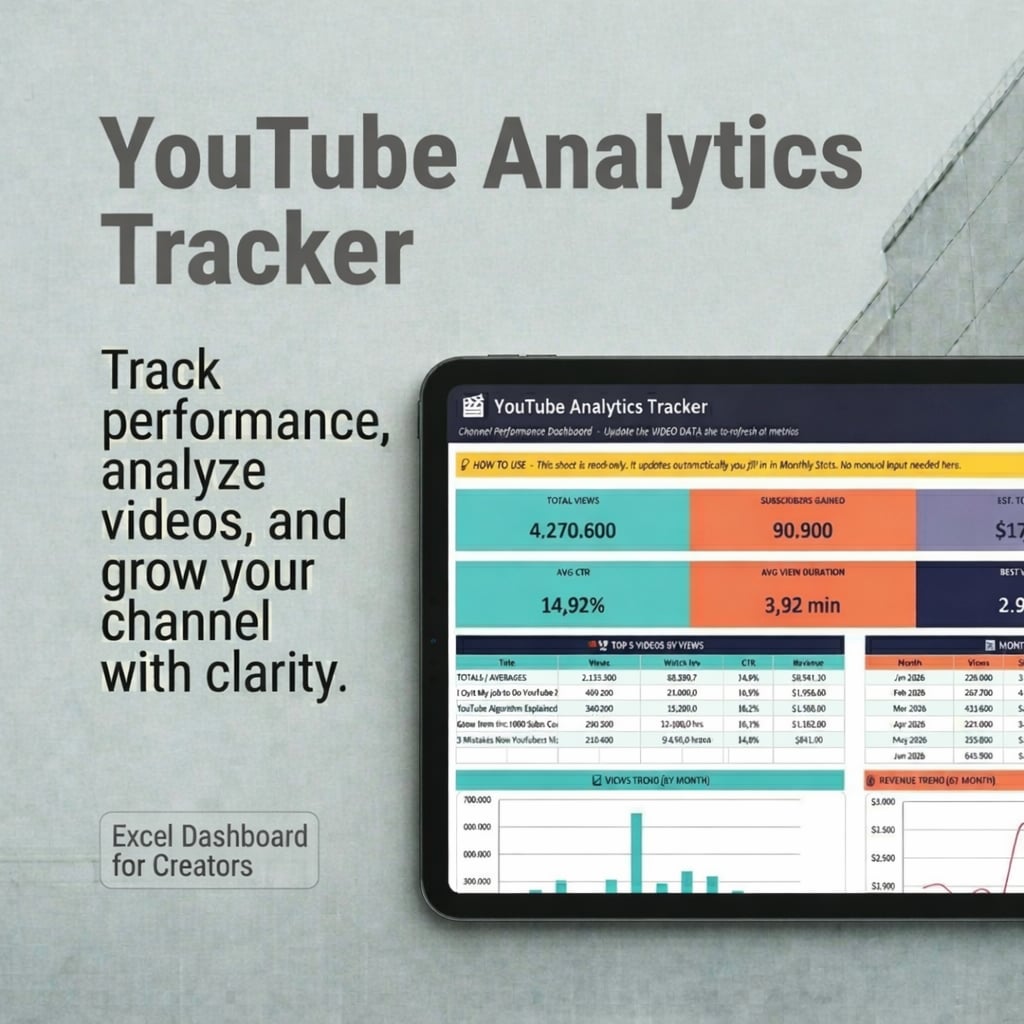
YouTube Analytics Tracker PRO
A data-driven system to analyze your videos, identify patterns, and grow your YouTube channel faster — not another tracker.
$19.99
Content Creators
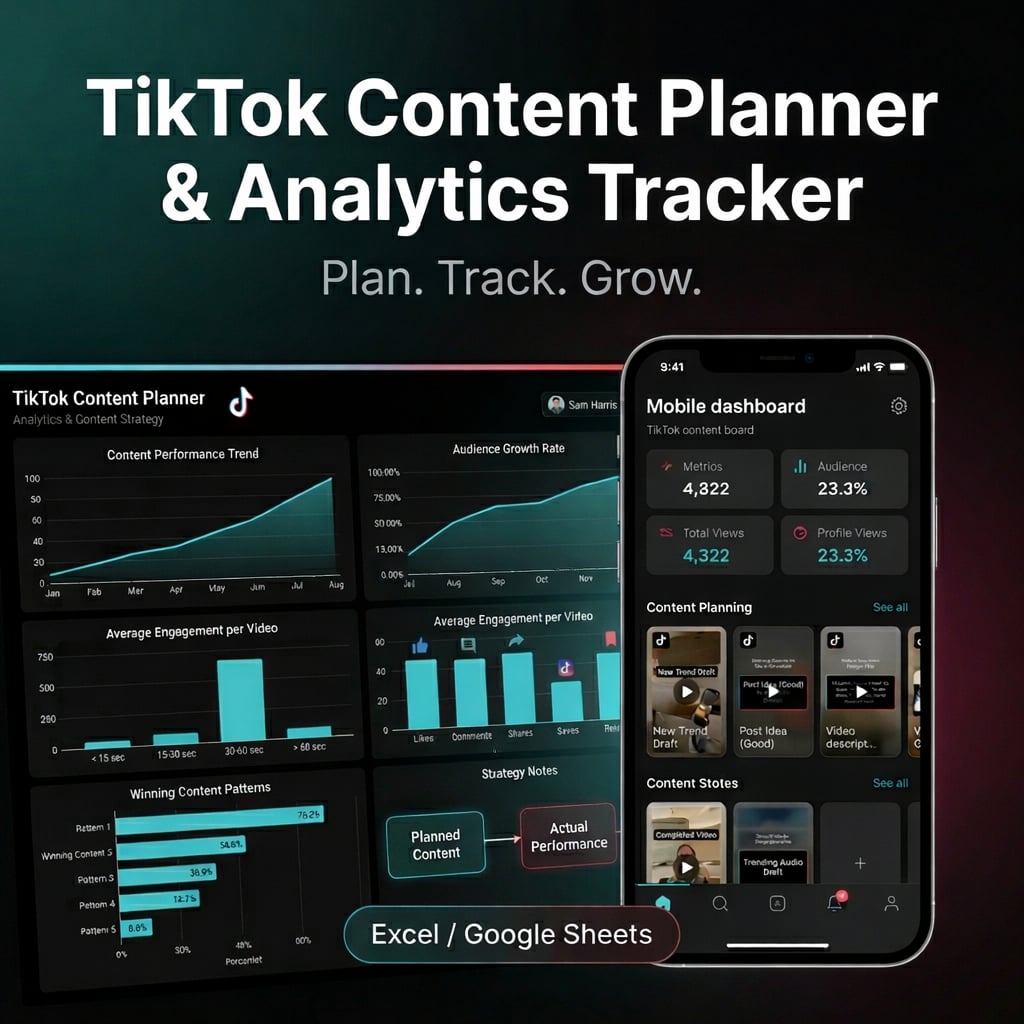
TikTok Content Planner & Analytics Tracker
Plan, track, and grow on TikTok with one structured system — content calendar, analytics tracker, hook bank, and winning content analyzer in a single Excel spreadsheet.
$14.99